Attune Flow Cytometer Configurator
Designing an intuitive workflow to guide researchers through instrument selection
Company:
Thermo Fisher
Role:
Product Designer
Tools:
Sketch
Overview
The Attune Flow Cytometer Configurator is a digital tool designed to help researchers customize and configure Thermo Fisher Scientific’s Attune Flow Cytometer to fit their laboratory needs. This project was not a redesign but a net-new experience built to support users in understanding and selecting from a range of product options and accessories.
Team
Jonelle Boyd, Product Designer
Jesse Mitchell, Sr. Product Owner
Amanda Thompson, Content Strategist
Goals
Create a clear, guided flow for customizing complex scientific equipment
Provide just-in-time information to help users understand configuration options
Build a flexible, modular UI to support future expansion and changes
Improve user confidence and reduce decision-making friction
Challenge
Flow cytometers are highly technical instruments with multiple configuration paths based on specific research needs, such as laser selection, detector options, and compatible accessories. Many users are experts in their field but may not be familiar with how to configure an instrument online.
Key Challenges
Ensuring scientific accuracy while simplifying terminology for varied audiences
Making a complex, multi-step process feel linear and manageable
Creating a responsive, modular design that supports desktop-first use
Balancing detail with brevity in a high-stakes product configuration context
My Approach
To ensure usability and accuracy, I followed a structured process grounded in UX best practices:
Cross-functional Collaboration
Worked closely with product managers and engineering to understand technical requirements, system logic, and user types. Defined the scope of available options and rules for compatibility.Research and Content Mapping
Analyzed existing product documentation and internal resources to define each step in the configuration process. Collaborated with stakeholders to identify key decision points and necessary explanations.Modular Interface Design
Created a modular design that supports step-by-step navigation with consistent layouts, progressive disclosure of content, and built-in validations to guide correct configuration choices.UX Writing and Terminology Alignment
Worked with product and marketing teams to align on language that is both scientifically accurate and user-friendly. Focused on reducing jargon and offering helpful inline guidance where needed.
User Journey
Before designing the interface, I collaborated with product owners to understand the typical flow cytometer buyer’s journey—from initial research to final purchase. Users were often scientists or lab managers who needed to ensure the selected configuration aligned with their experiment types, lab capacity, and budget. Many relied heavily on product documentation or sales representatives in the past.
To align the configurator with real-world behavior, I mapped a step-by-step journey:
Select an Attune Flow Cytometer model
Add required lasers and compatible detectors
Choose optional accessories and software
Review summary and submit for quote or purchase
The design aimed to support users at each of these stages with embedded guidance and real-time feedback.

Research & Insights
To ensure the configurator met both usability and business goals, I evaluated digital tools from three relevant sources:
Key Insights
BD Biosciences: Their flow cytometer configurator was highly technical and form-heavy, with minimal contextual guidance or user-friendly visual aids—highlighting opportunities for a more intuitive and supportive experience.
Apple (Hardware Configurator): While not a scientific tool, Apple sets a high standard for user-friendly configuration.
Internal Thermo Fisher Tools: Existing internal configurators often relied on outdated UI patterns and lacked consistent visual hierarchy, which reinforced the need for a more modern, modular, and responsive design.
These comparisons reinforced the value of progressive guidance, real-time feedback, and a clean, scalable layout tailored to both novice and expert users.

Solution
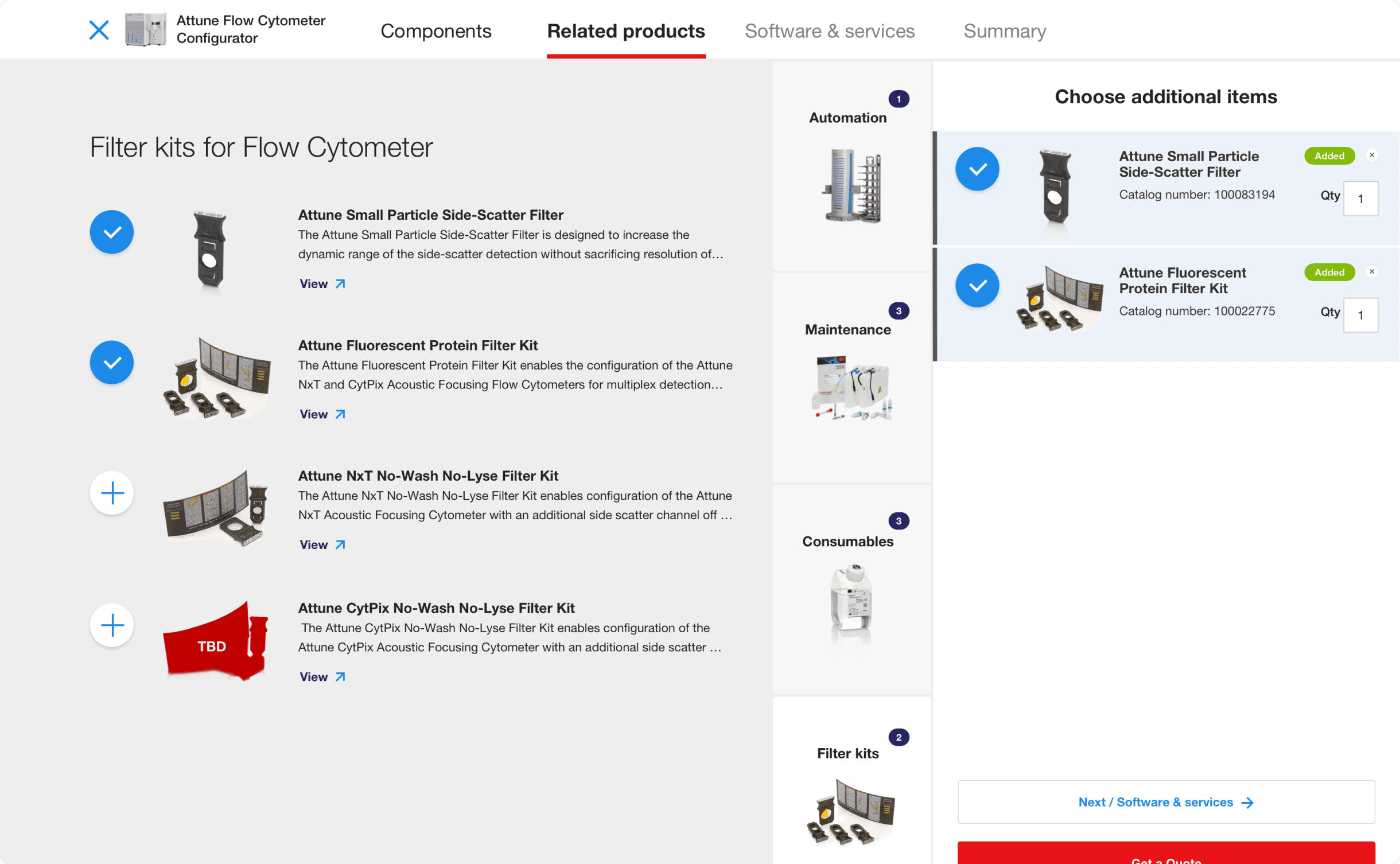
The final configurator design uses a multi-step format with persistent navigation, clear section headers, and smart defaults. Users begin by choosing a core model, then move through laser options, detectors, accessories, and service plans. A summary panel updates in real time, helping users visualize their configuration as they go. The experience also includes:
Progress Indicator to show where users are in the process.
Expandable Help Sections with contextual descriptions and images.
Real-Time Summary Panel that tracks selections and updates pricing.
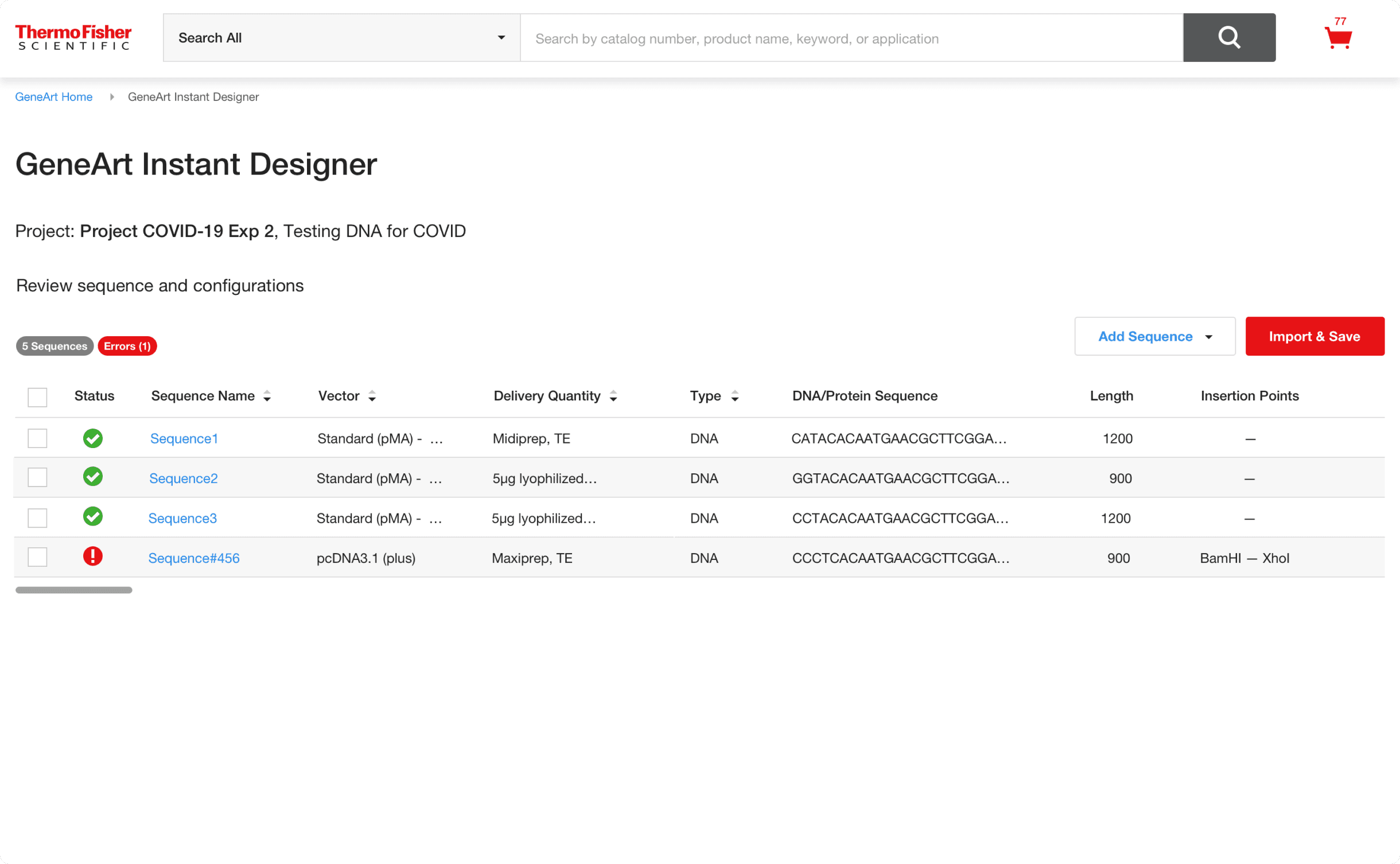
Built-in Validations to prevent incompatible choices and guide corrections.
Responsive Layouts optimized for desktop-first use in laboratory settings.



Impact / Outcome
The Attune Flow Cytometer Configurator launched as a key part of Thermo Fisher’s instrument purchasing experience. It has helped simplify what was previously a complex and sales-driven process into a guided, digital-first tool accessible to a wider range of users.
Key Results & Metrics
Positive feedback from internal stakeholders and field sales teams
Reduced dependency on manual configuration support
Increased clarity and transparency in the configuration and pricing process